How it works
From zero to a shared house hunt in about five minutes. Here is every step, with real screenshots.
1 Get the extension
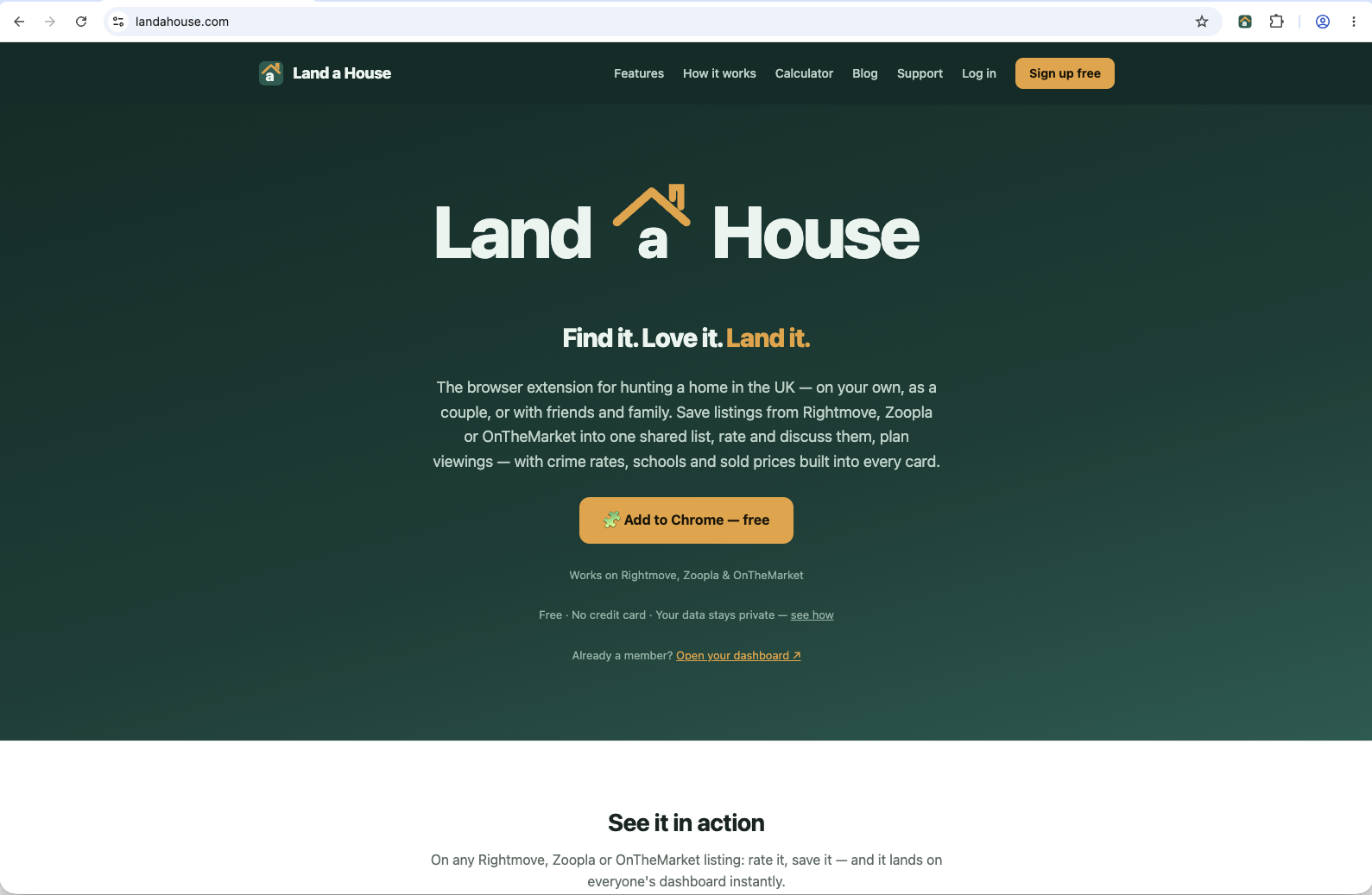
On landahouse.com, click Add to Chrome — free. It takes you straight to the official store page.
2 Add it to your browser
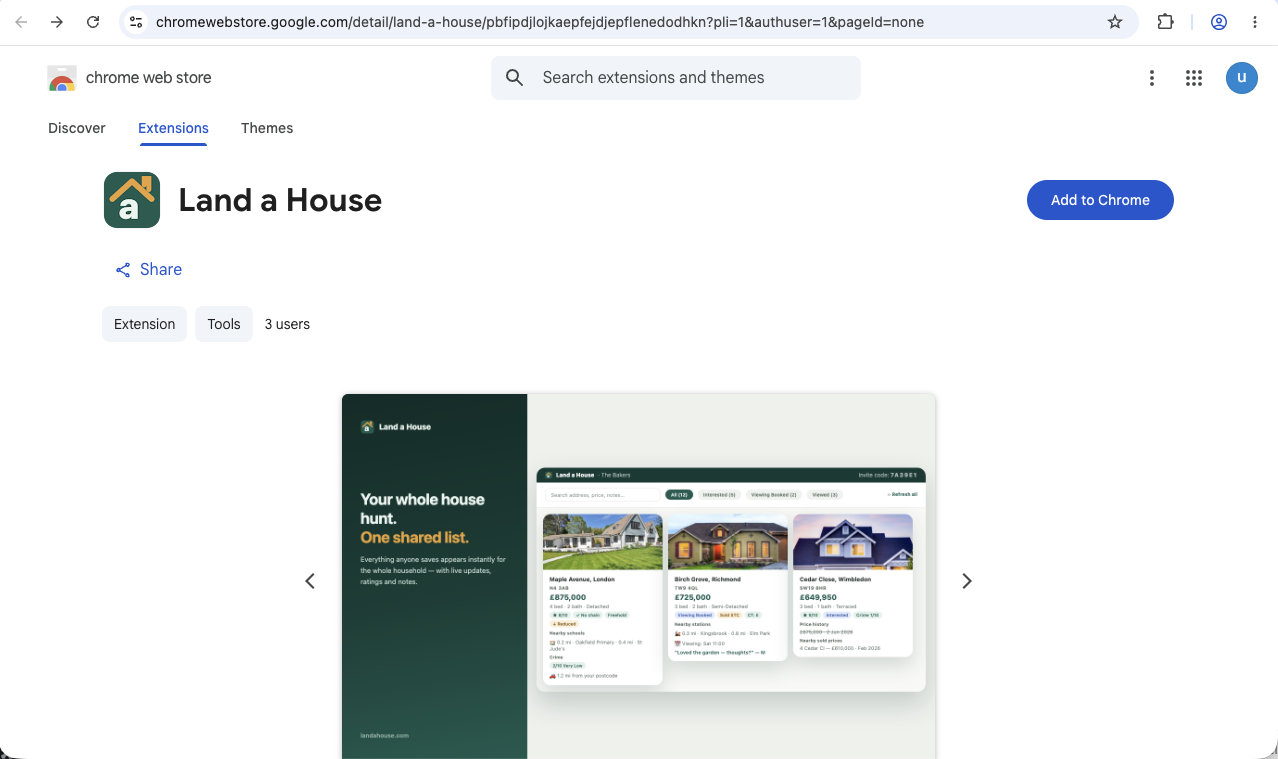
Click Add to Chrome on the store page, then Add extension in the confirmation dialog. The permissions cover the three property portals — that's how the Save panel appears on listings.
3 Pin it to your toolbar
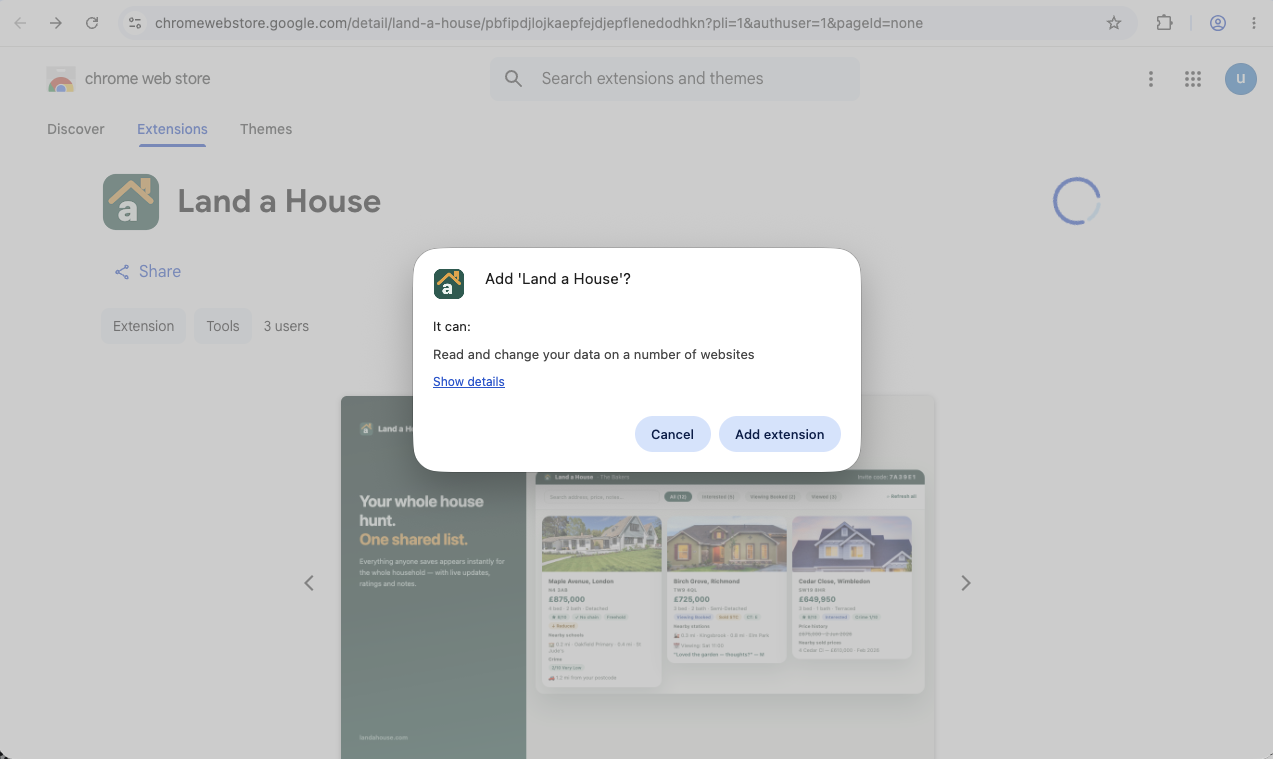
Click the puzzle icon next to the address bar and hit the pin beside Land a House, so it's always one click away.
4 Create your account
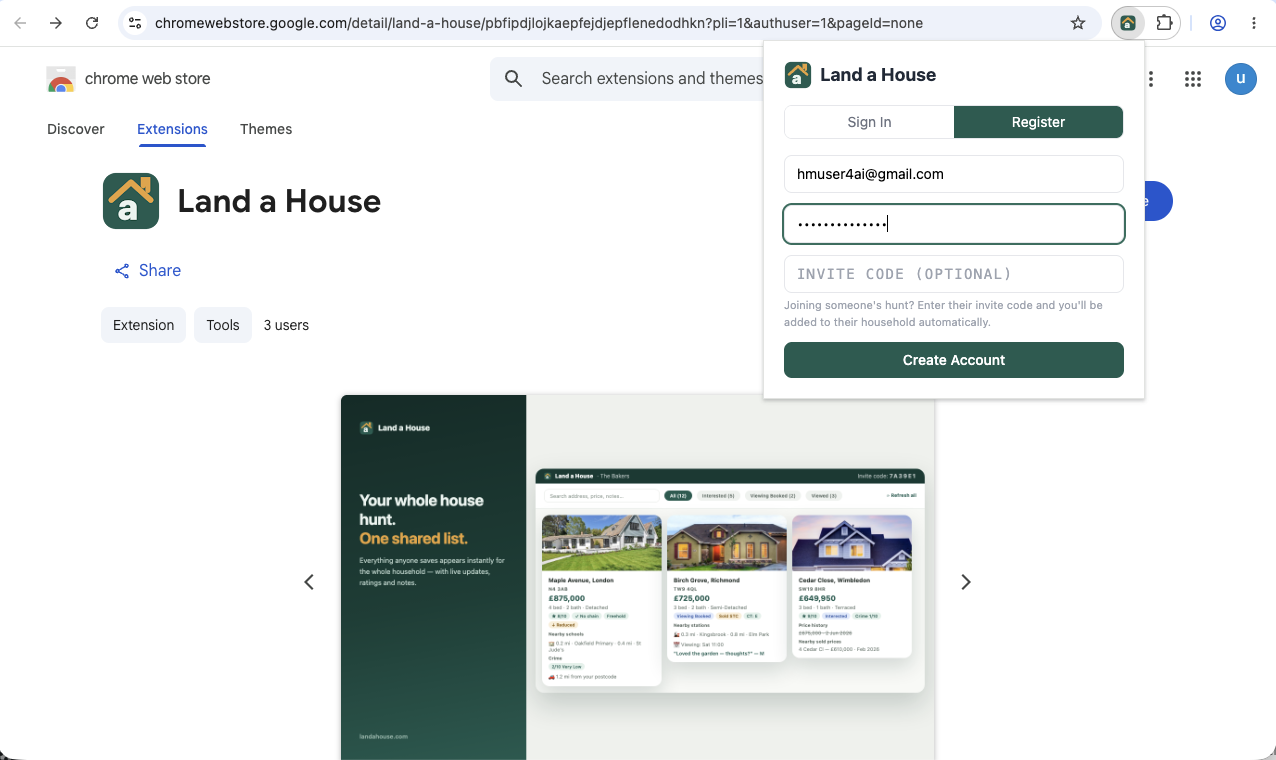
Open the popup from the toolbar, switch to Register, and enter your email and a password. Got an invite code from a partner or family member? Enter it here — you'll join their household automatically and skip step 6.
5 Confirm your email
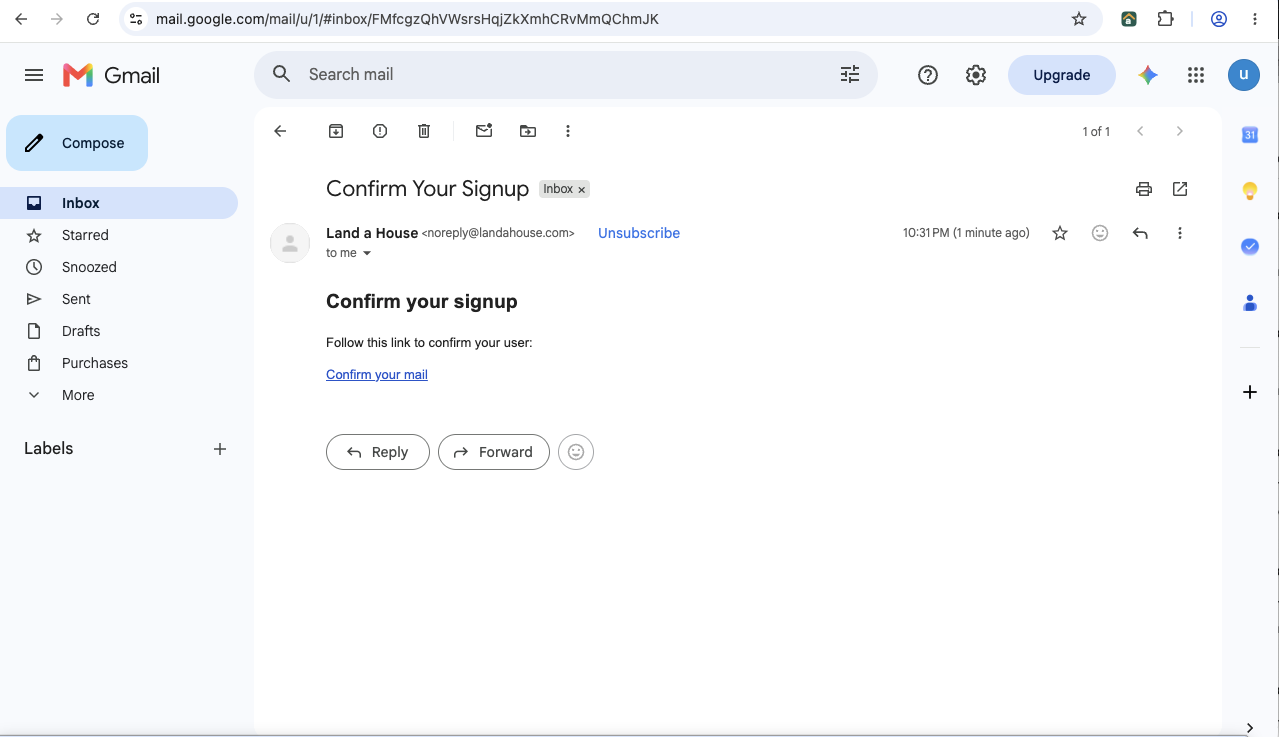
We send a confirmation link — click it and you're verified.
💡 Can't see it? Check your junk folder — first emails from new senders sometimes land there.
6 Sign in and set up your household
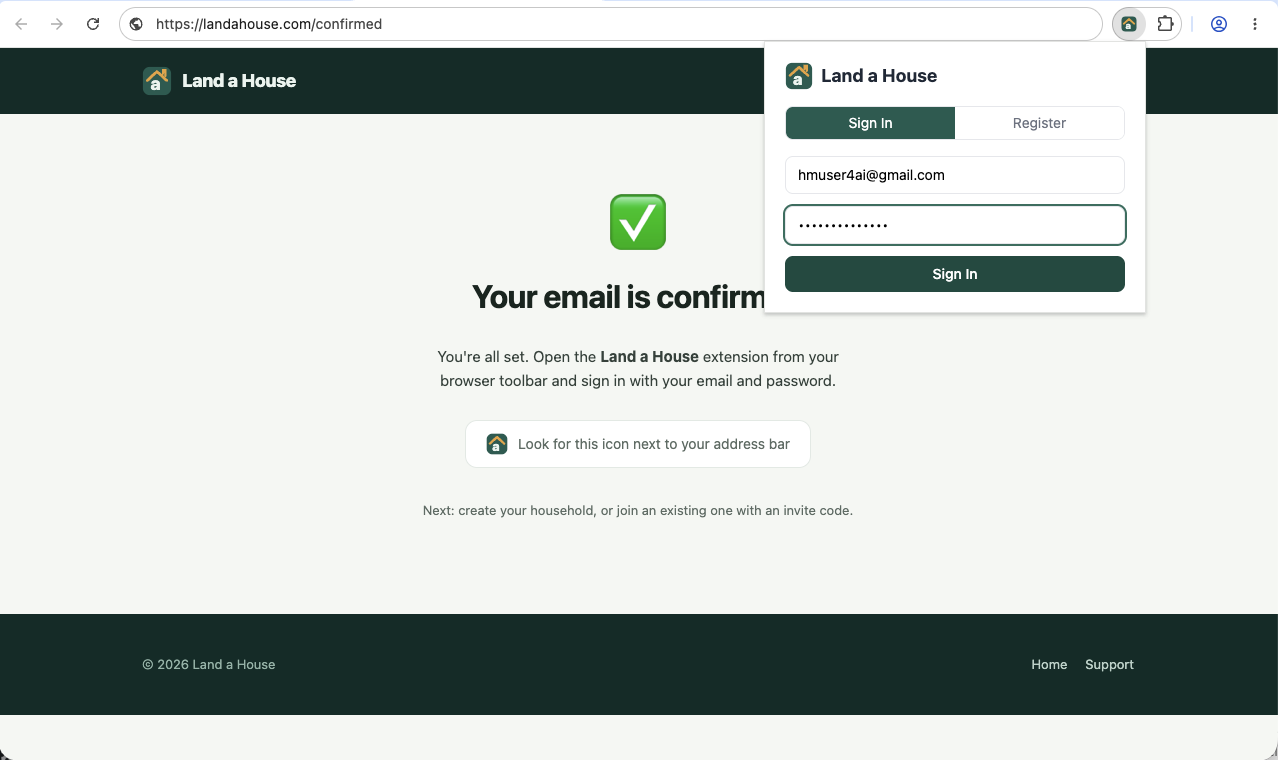
Back in the popup, sign in — then give your household a name (or join an existing one with an invite code). A household can be just you, a couple, friends or the whole family; everyone sees the same shared list.
7 Save your first home
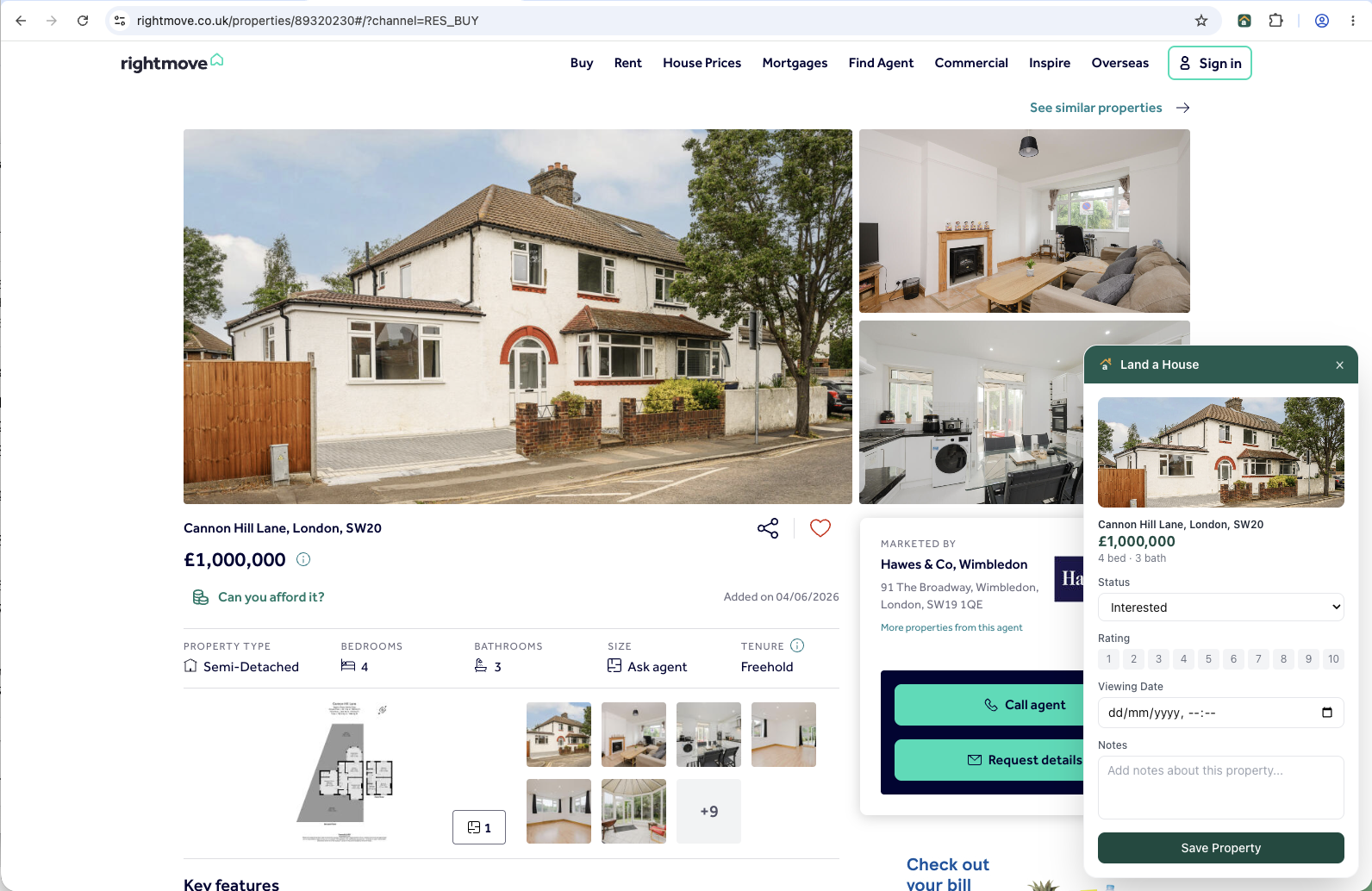
Open any listing on Rightmove, Zoopla or OnTheMarket. The Land a House panel appears on the right — set a status, add a note if you like, and hit Save Property. The panel tucks itself away, and enrichment starts in the background: crime score, nearby schools, stations, and official sold prices are attached automatically.
8 See everything in one card
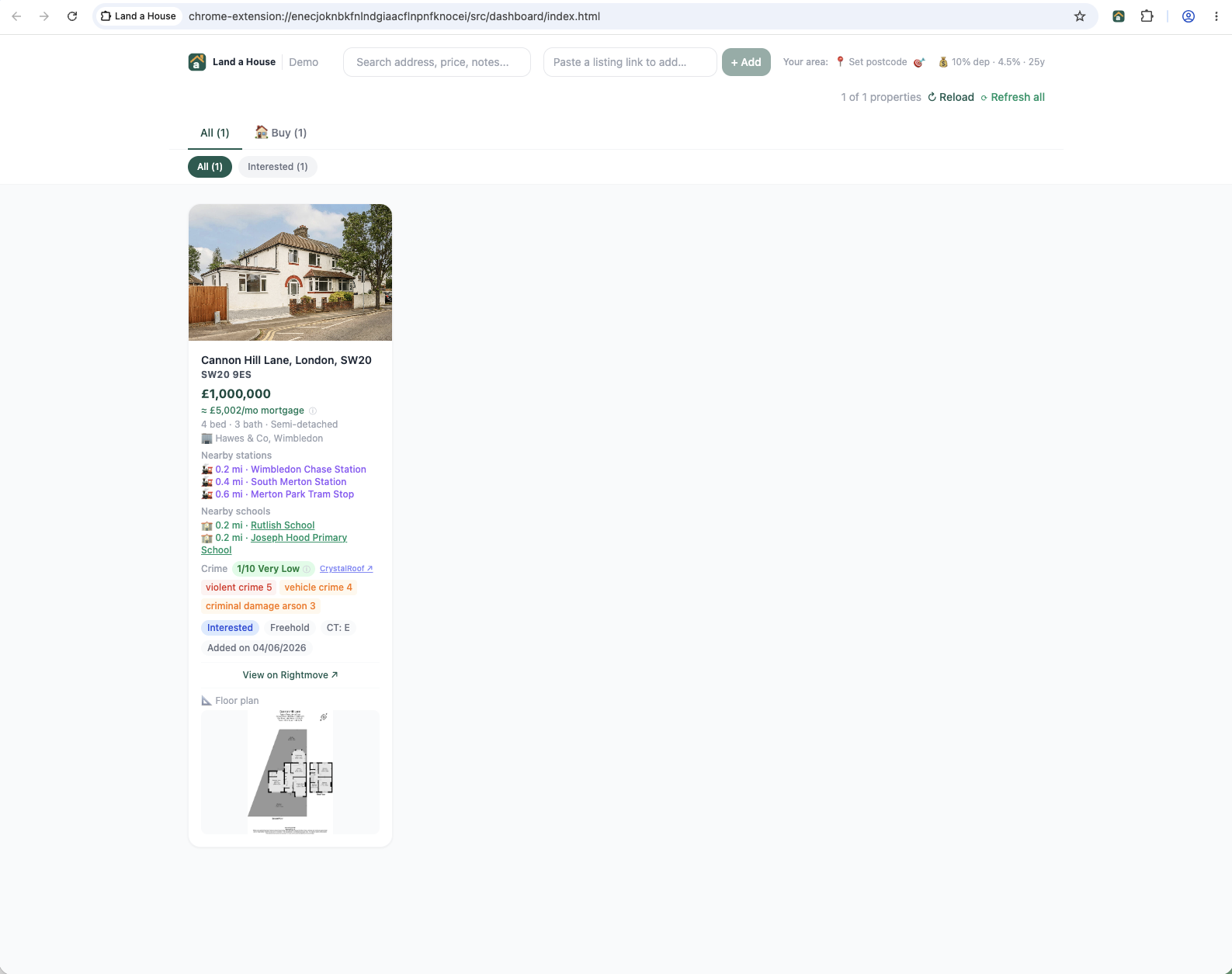
Open the dashboard (popup → Open full view, or dash.landahouse.com from any device). Every saved home is one rich card: price and price-drop history, crime score, schools, stations, sold prices nearby, floor plan — and an estimated monthly mortgage cost you can tune with your own deposit and rate.
9 Invite your partner
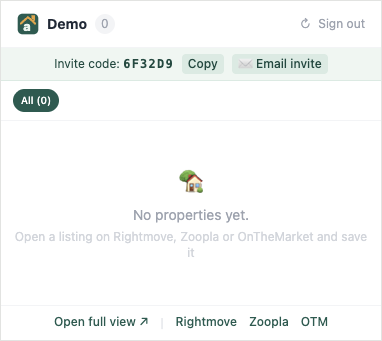
Your invite code sits at the top of the popup — Copy it or send it with Email invite. Anyone who registers with your code lands in your household instantly, and from then on you're hunting from one list: shared saves, ratings, notes and viewing dates.
📱 On your phone? Open dash.landahouse.com, paste any listing link into “Paste a listing link to add…” — the extension on your computer fills in the details within minutes.
Ready to start?
Free, no credit card, works on Rightmove, Zoopla and OnTheMarket.
Get Land a House — free